Workspaces - Help users quickly switch between different accounts, all in the same app.
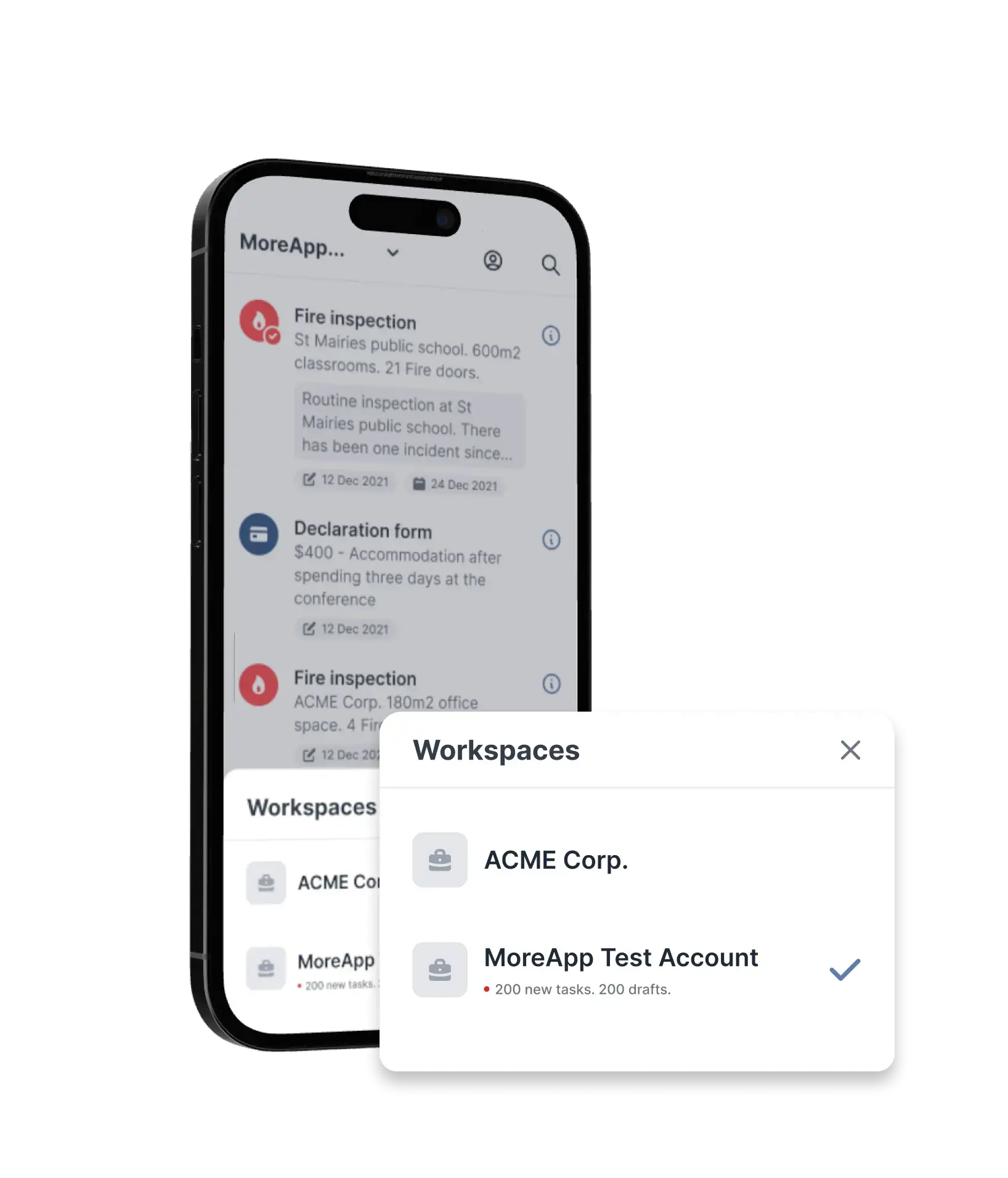
When working internally with our product, or our users with multiple accounts, they wanted a way to quickly see what accounts are logged into their MoreApp accounts. One of the challenges we faced during designing the app was adding “all user accounts” into the new application
Product Designer, at
MoreApp
Responsibilities
- Interaction Design
- User Interface Design
- Prototyping
- Design Systems
Platforms
- iOS
- Android
- Web-application
Duration
- 1 sprint (2 weeks)
- Launched: 4th of July '23
- Complete roll out: 11th '23
Context about Account Switchers
Starting this small project, I started to learn the context about our account switcher.
Gaining Knowledge about our current situation
Talking with our Customer Support and PO, I've quickly discoverd that our partners, or big customers, they have multiple accounts in one MoreApp Application.
This issue was stored as a Feature Request on our backlog by our PO. Adding more context to this FR was needed to design solutions.
Social Switchers
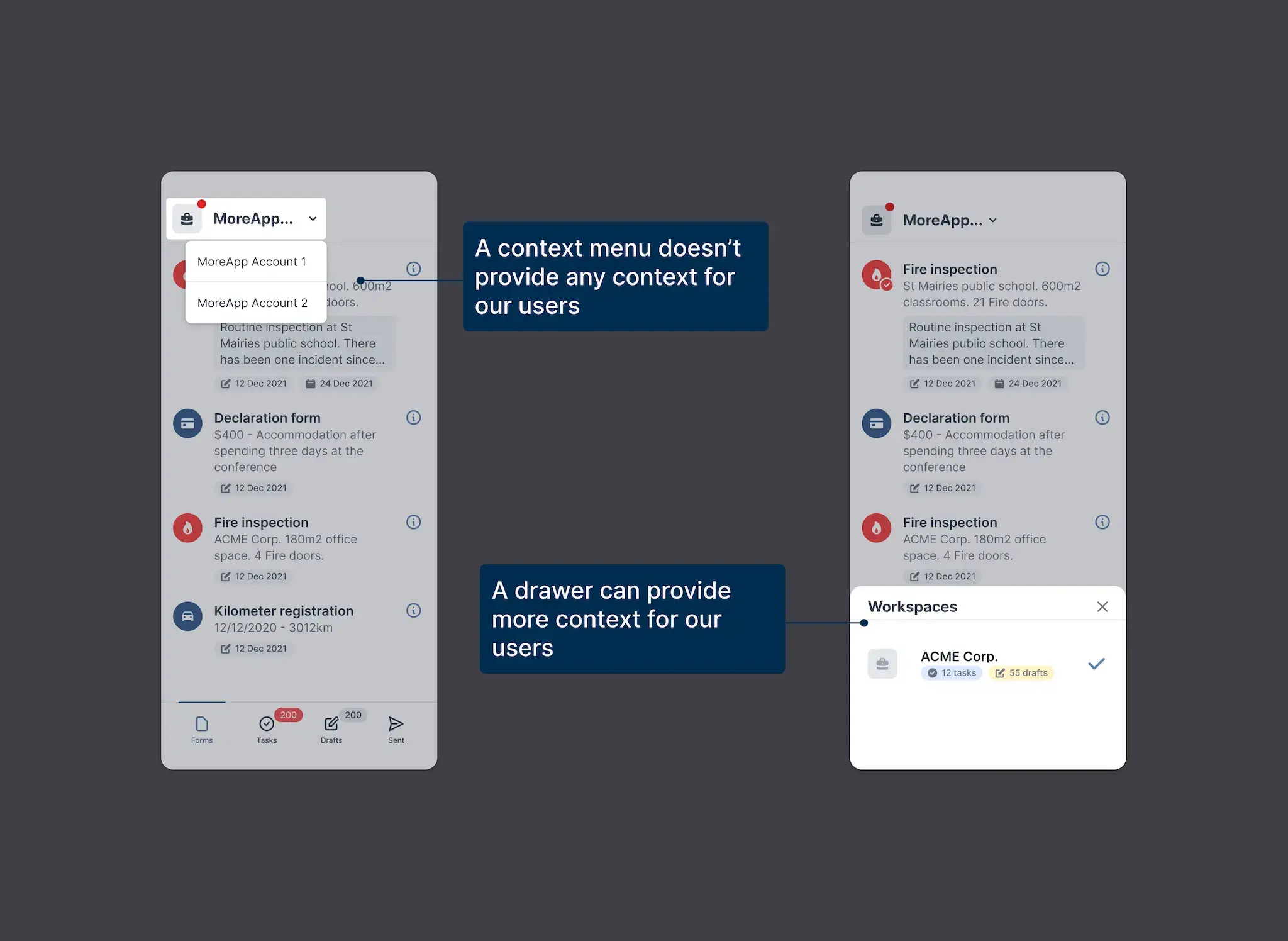
With knowledge that our users mostly use social media outside our application, I quickly looked to industry standard switchers. Such as Instagram, Facebook and Outlook. I've noticed that a list item or a drawer are most common practices for switching accounts.
Switching Things Up
Looking into these above mentioned solutions, I identified the affordances for our users that they need to be informed about:
- Accounts are grouped under their name, an account number that has been assigned to an account is not relevant.
- After release it turned out that we dropped this, as there were no issues coming into support regarding Customer ID's.
- Added a space for profile pictures. This isn't an available feature at the moment, but may be added in the future in the editor environment.
- Available tasks or drafts are displayed underneath the account names, if they are any.
Iterating on design
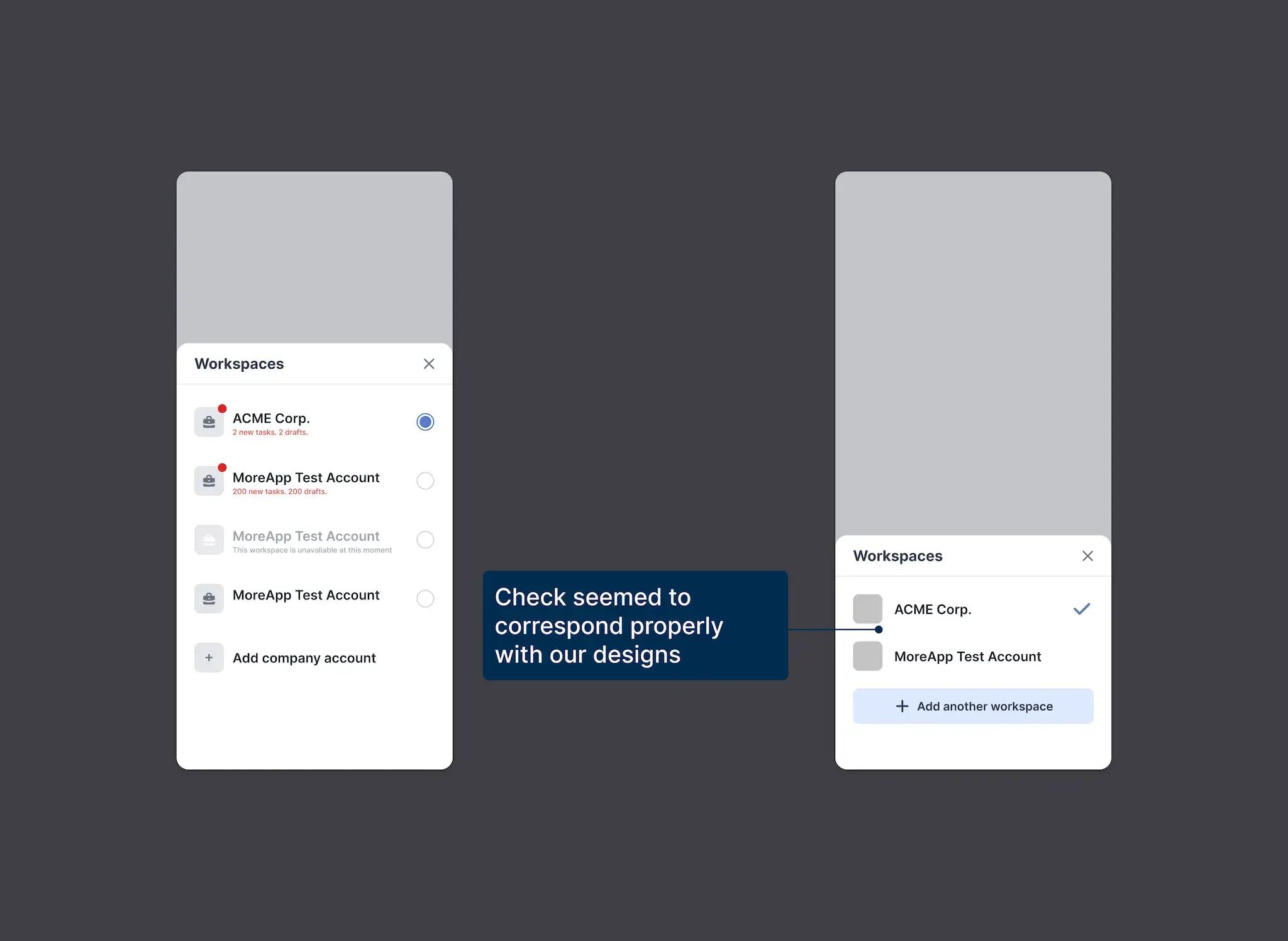
Starting out with the list item quickly transformed into the drawer.

Notifications and Switching Accounts.
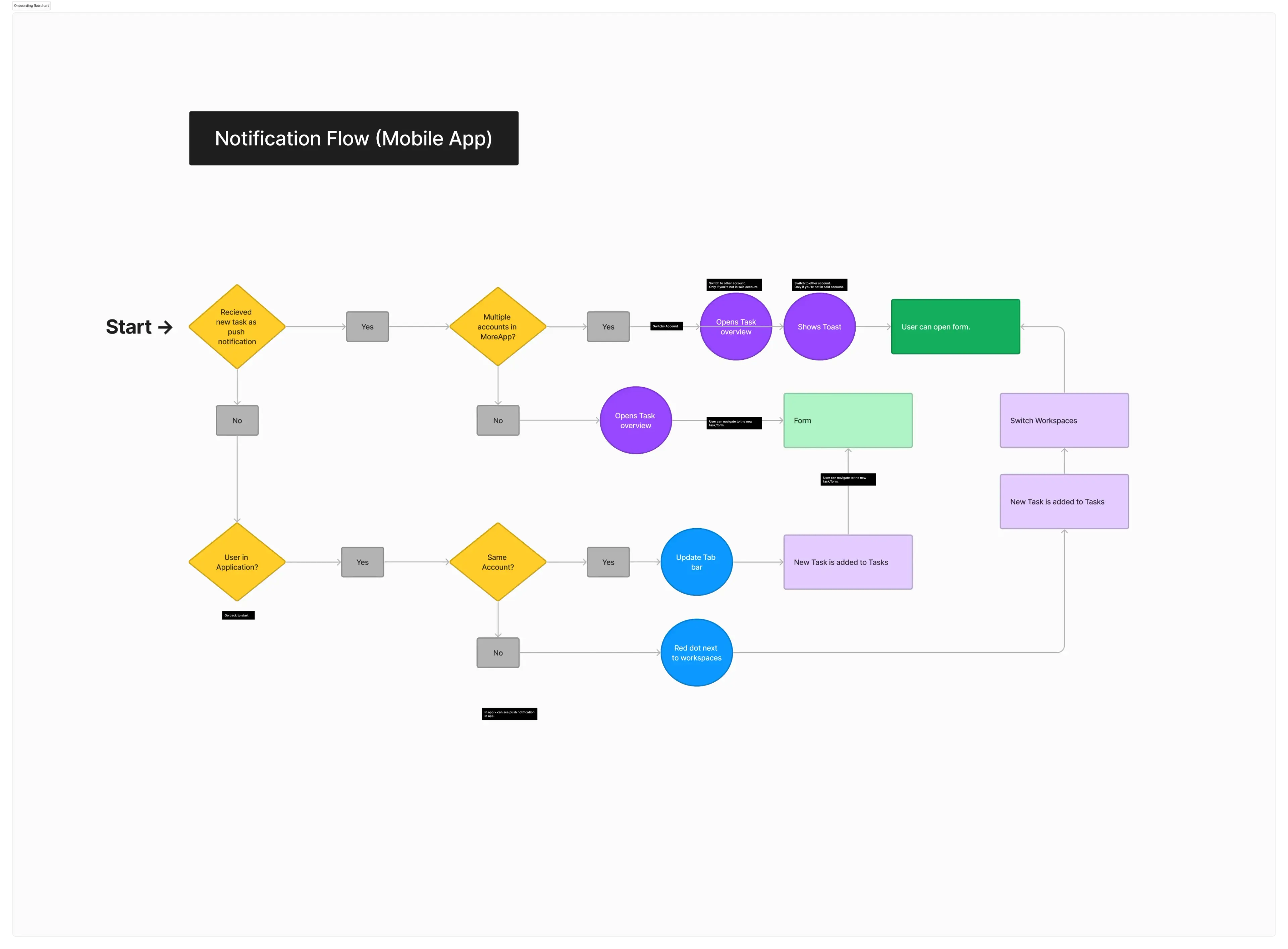
We quickly discovered that when a users receives a notification for another account, the app doesn't switch right away to the right context. So, as a result of this change in behaviour of our application we delved deeper into this problem.

We wanted to be really sure the user can automatically switch account when receiving a new notification. The endpoint should be that they can open the form in the right workspace when opening the notification.
Project Conclusion
Wrapping Up

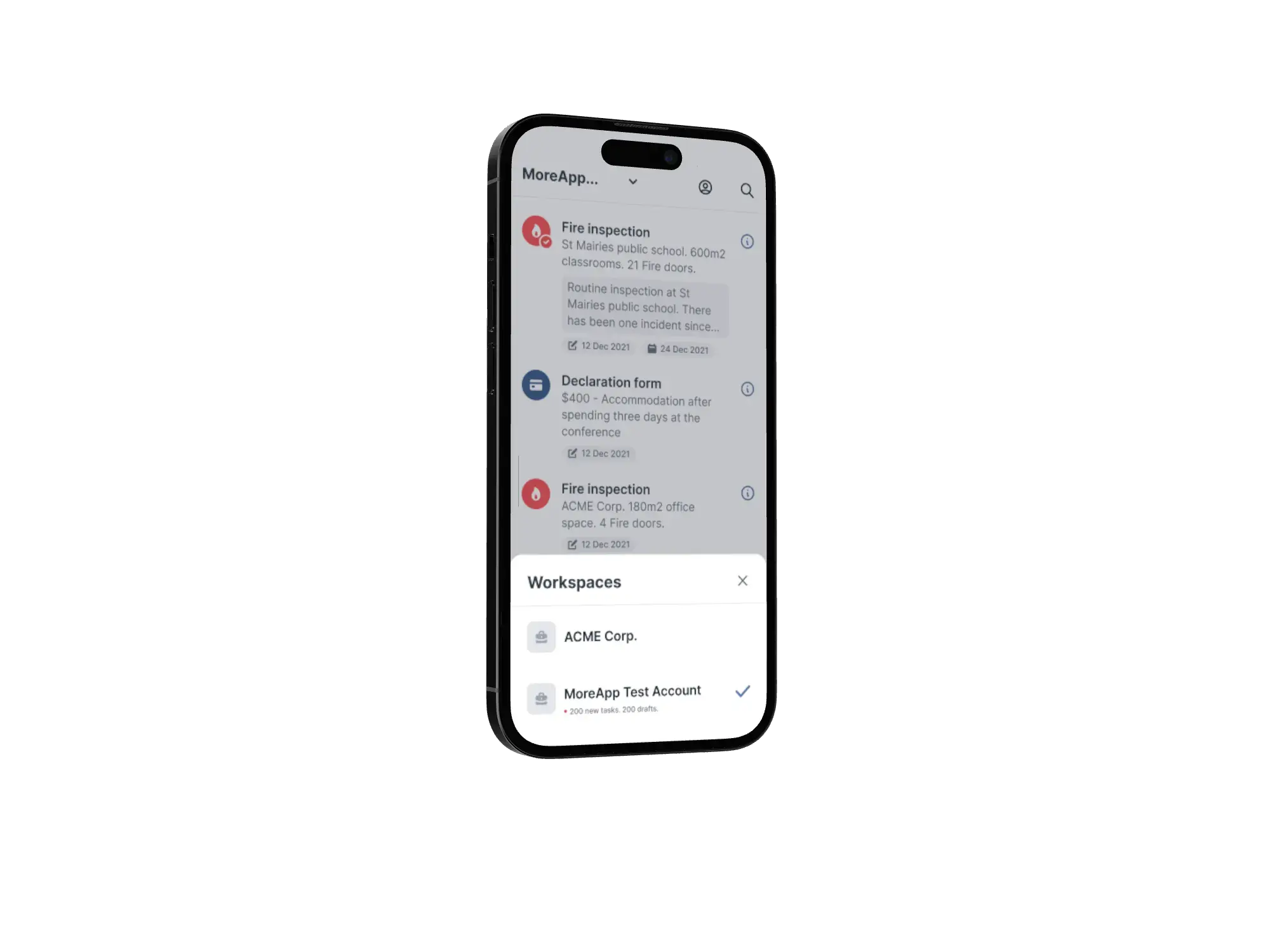
After discussing all the changes that have been made with the flow of presenting notifications and workspaces to the rest of the product team. The account switcher has been implemented. Switching between multiple accounts in the app has never been easier.
What I wanted to further explore is creating tasks for users in the form editor environment, however this was completely out of scope for this project. And therefore I'll revisit this on a later moment or in a new case study