MoreApp - Sending Digital Forms
The tool focus on replacing paper forms in the workplace with a digital tool.\nMoreApp, the application, is a tool for employee to fill in forms on their job. These forms can be inspection forms, HR forms, declaration forms. You name it, you can fill it in with that app!

Product Designer, at
MoreApp
Responsibilities
- Interaction Design
- User Interface Design
- Design System
- Stakeholder Management
Platforms
- iOS
- Android
- Web-application
Duration
- 12 till 15 months.
- Launched: 4th of July '23
- Complete roll out: 11th '23
Filling in forms is something that used to be a long and boring process. But now, can be done with a single click.
Filling in forms is an absolutely terribly tedious task. Row after row has to be filled in, looked up and thought about and nevermind all the things you have to remember. Oh, and are you sure all the files are complete? They're usually incredibly long and before we've passed the first paragraph, we're longing for it to be done so that we can finally send it. The old application of MoreApp needed some love in order for it to be completely up to date.
The application of MoreApp is a tool for hard working people who're pressed for time to fill in forms on the job. MoreApp has your back; from inspection forms, HR forms, declaration forms and many more. You name it, you can fill it in with our app! The tool focuses on replacing paper forms in the workplace with a something more manageable and environmentally friendly such as digital forms. Less paper, means more app!
Expectations to be met
New Application
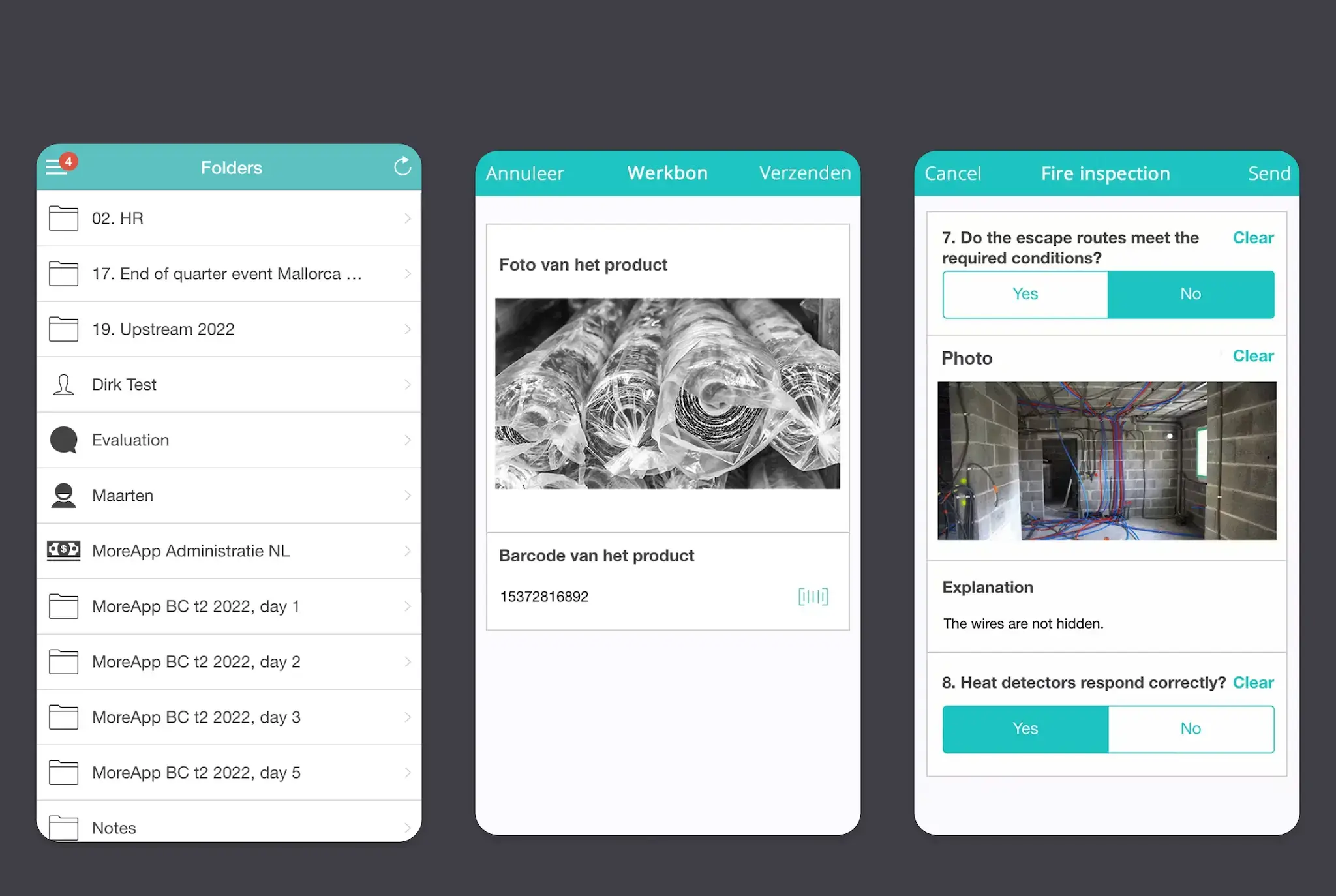
A new and refreshing look, the old design was in line with Guidelines from 2015. Which is nice, but they are pretty outdated with today's standards
Goals of the project
New Application
All the information everywhere, all at once.
In the previous situation everything was saved locally. This means logging into one account on multiple devices. Forms were only stored on the device you're logged into. Not your account.
A new and refreshing Dev-Stack. The current application was built on Angular JS. Which in 2023 is probably outdated.
In short
Our users are straightforward, it's a work application. It's not meant for entertainment, the goals of our users should be brought to completion quickly and swiftly. Therefore, general overview, hierarchy and time on tasks for our users are important to incorporate into the product design.
Accessibility
Colors

We want our product to be as accessible as possible. Meaning: we look into colour morphisms. Not just because our app should be accessible for people who are colour-blind, but we also have users who may have light sensitivities and other ocular difficulties. Whether in darker environments or in bright daylight, making sure our app is as visually friendly as possible is important to us.
Accessibility
Colors

This translates even further in our product. Not only are the colors a high contrast. We've also added extra “active” and “focus states” for our product. To really make sure that we are as accessible as possible.
Many changes to our product are being checked by our QA engineer. Whom I have worked together with, to meet WCAG2.1 guidelines for the product.
Refined Navigation Mobile
New Application
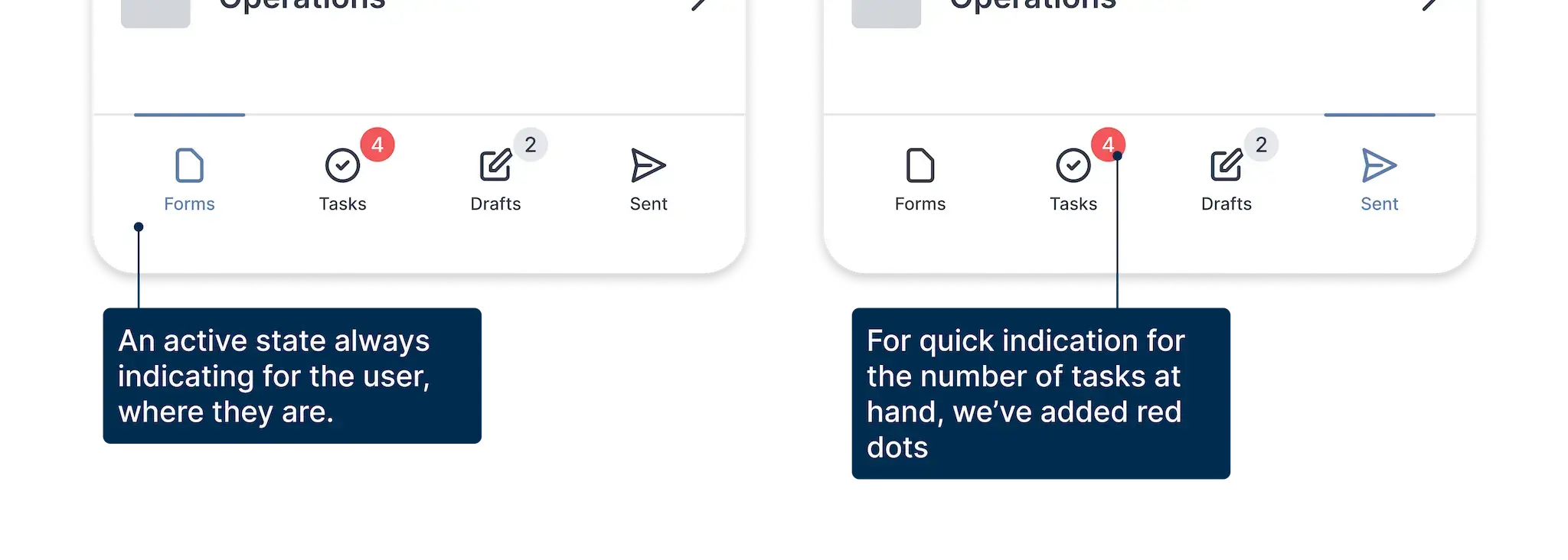
This translates even further in our product. Not only are the colors a high contrast. We've also added extra “active” and “focus states” for our product. To really make sure that we are as accessible as possible.
Many changes to our product are being checked by our QA engineer. Whom I have worked together with, to meet WCAG2.1 guidelines for the product.
Refined Navigation Desktop
New Application
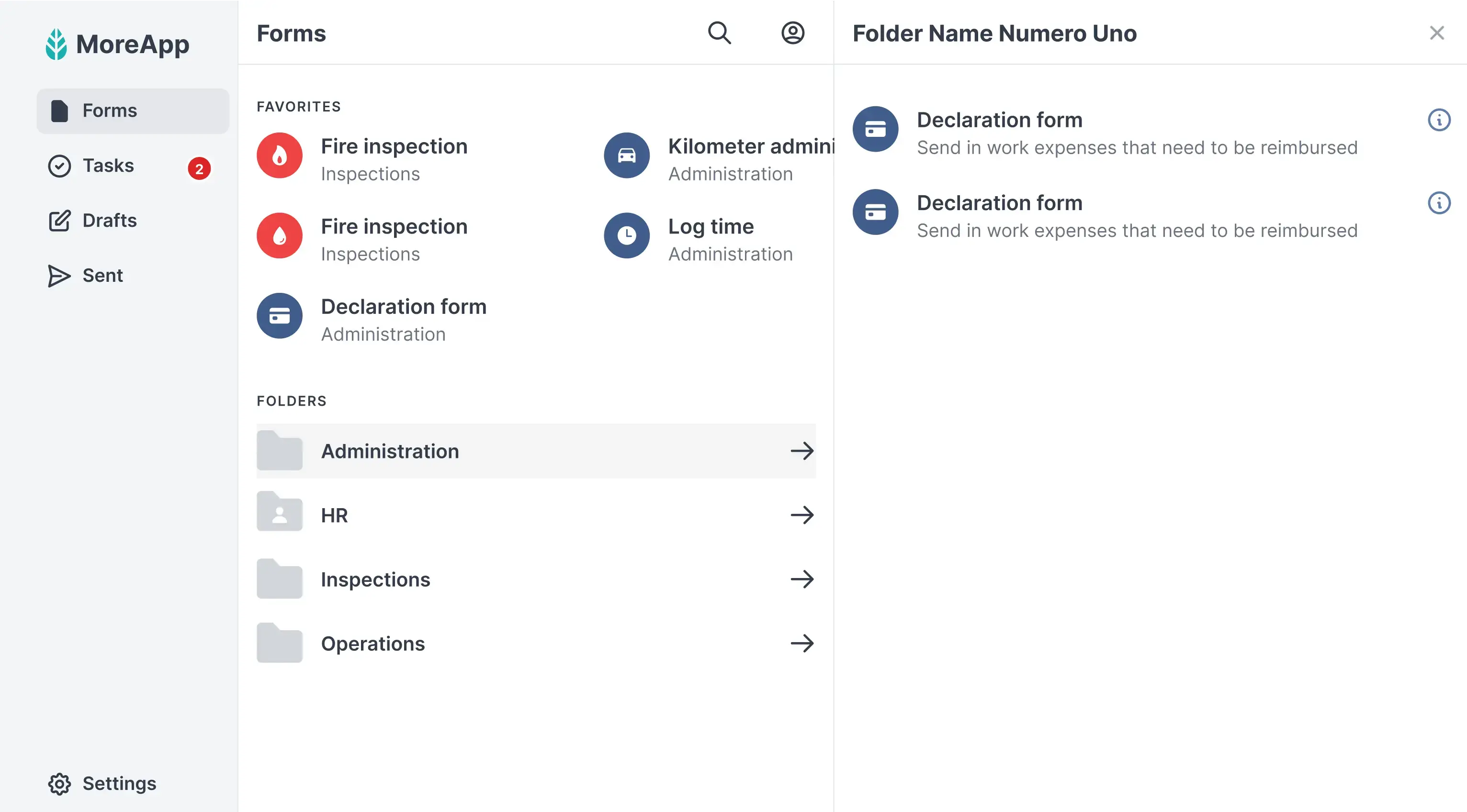
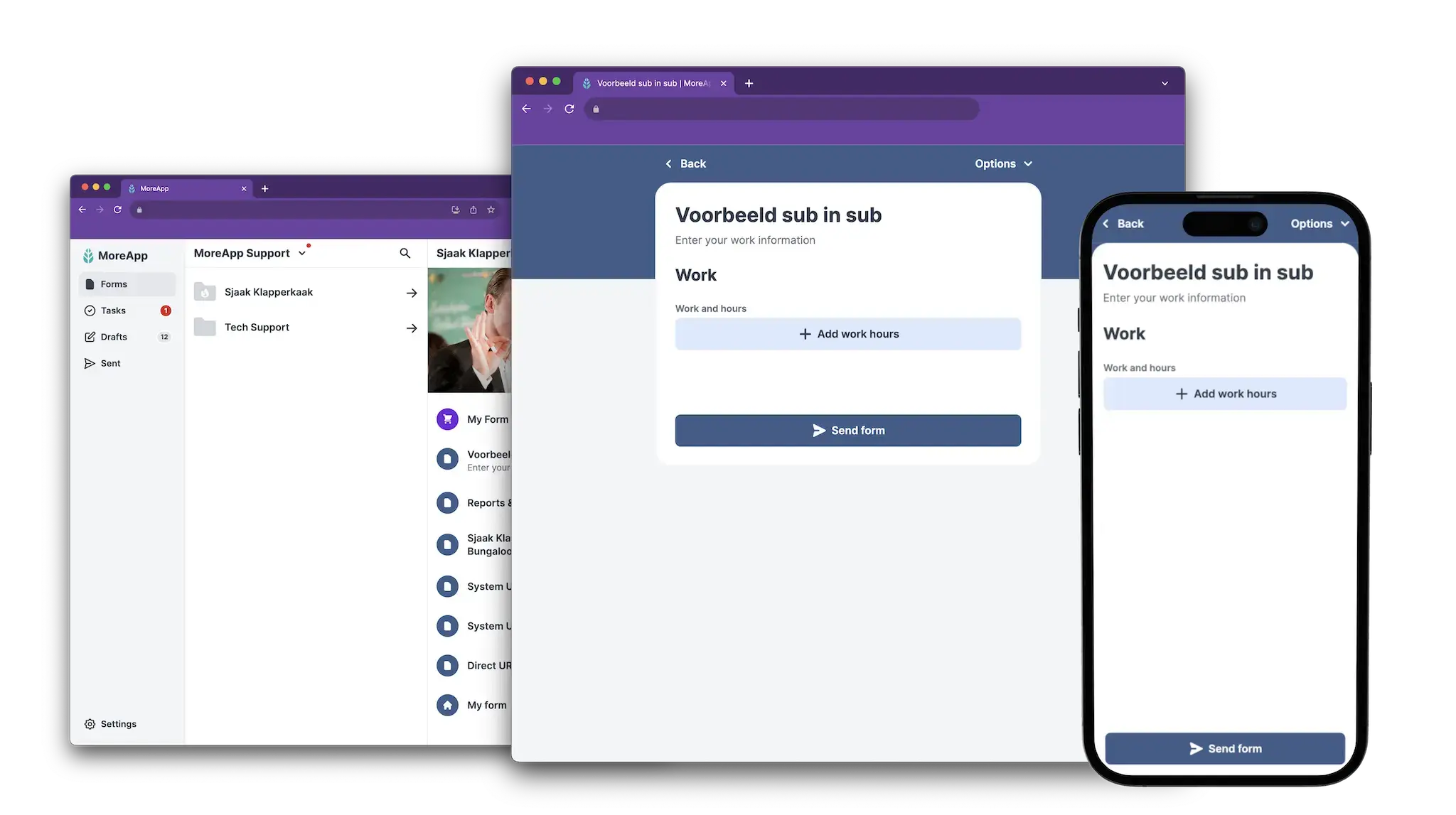
The navigation on desktop is just as simple. Working from a port to its very own design. We've used this design for desktop and tablet.
Combined customer profiles
New Application
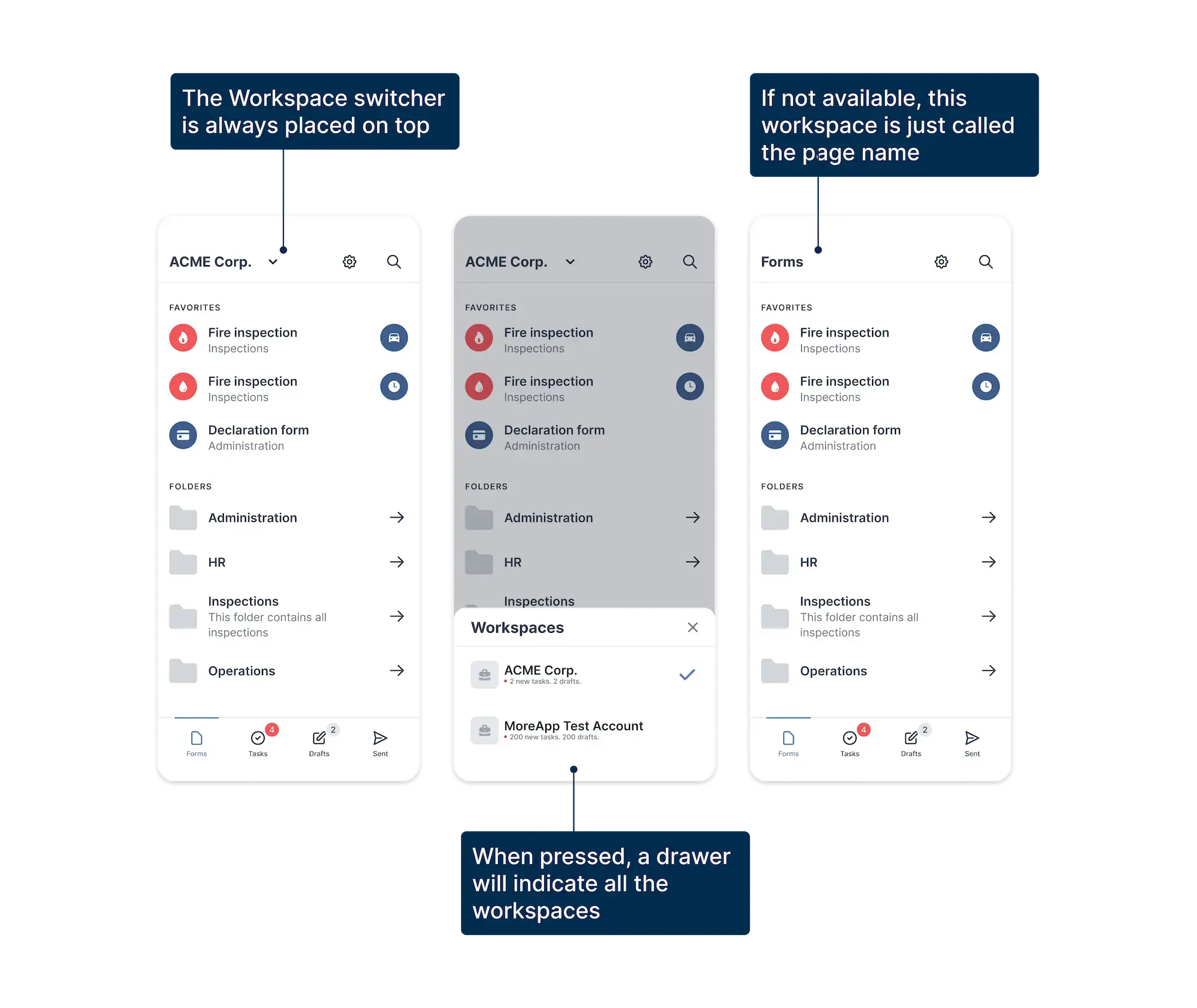
Before this overhaul, all the forms of your profile were all dumped in one single overview. This means if you were connected to multiple accounts, you'd have this endless list of information in front of you with barely any guidance of where to look or what to do first. No sorting method or anything was there so most of us were left to our own devices.
How did we solve this in the new app? By introducing workspaces: a concept diverting all forms, tasks, and concepts per customer workspace. This will give shape to user profiles, and a clear distinction between different customers with the same user profile.
Read moreProject Conclusion
Finishing up
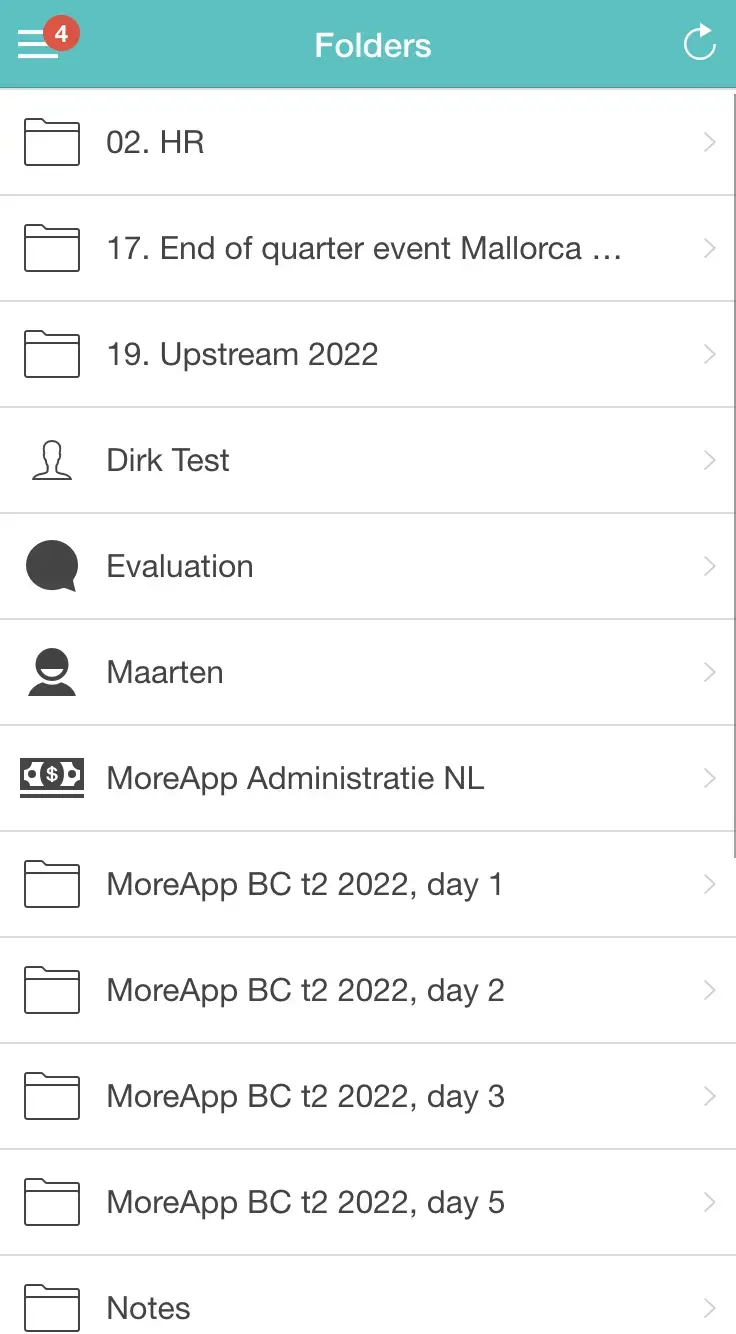
Before
A clutter Material 2015 design that left more questions.
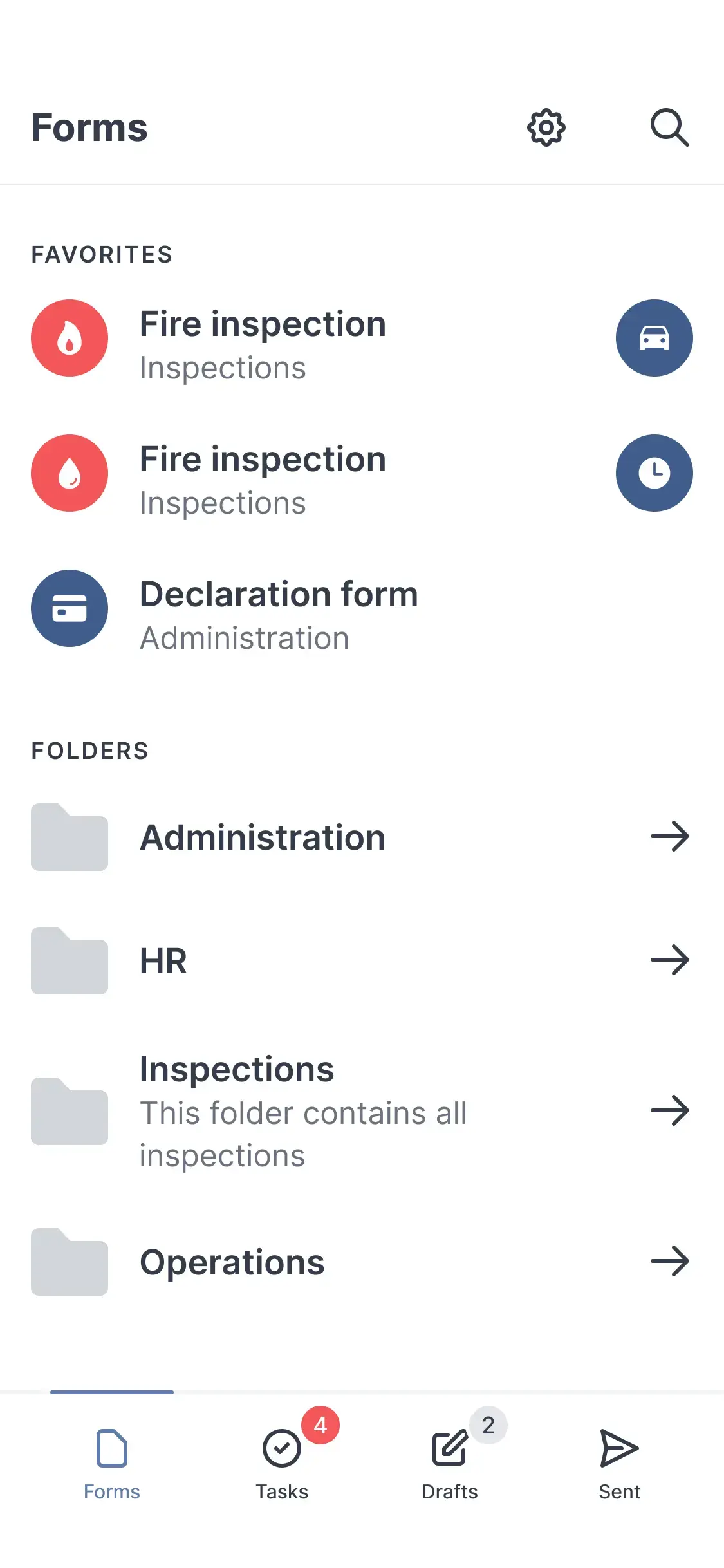
After
A neatly organised interface that helps users find everything they need for their form filling experiences.
Testimonial
“MoreApp is super intuitive and makes digitising processes so easy. Not only the setting up of the forms is effortless, but their use is so smooth that even our older, more conservative employees have been won over completely. MoreApp allows us to be very transparent within the organisation and offers great insight into the hundreds of forms and all data. I really am very satisfied!”
• Michel, customer MoreApp
Project Conclusion
Lessons learned along the way
Developers are your friends
Love your devs, especially when you are a junior product designer as you're learning and building your skills. Keep them close, and edit and redesign your designs together. Learn what does and doesn't work for a progressive web application. And use that as a starting point for your ideas. Don't forget to include support, marketing, sales and the PO as you're making big and important changes. This can help you a lot with getting to know the product and the roots of the company while at the same time establishing bonds with your coworkers.
Read a lot
Not just books or blogs, but you can also gather a lot of information from your peers or design friends. I read the classic book “Everyday Design of Things” by Don Norman, and I was completely hooked. It's now one of my staples I keep referring back to whenever I need to. Some blogs that helped me were: Bryan Lovin, and Nathan Curtis on Design System documentation and handover, refactoring the UI by Adam Whathan and Steve Schoger for basic principles for product design and many, many more.
If you die today, design continues tomorrow
Document everything you do. When I worked alone at the start at MoreApp I quickly wanted to scale up the way I was working. So I wrote down everything I did. Added padding to new elements in a design system? Wrote it down. Ideas? Wrote it down. Write it down. To get it out of your head, to show it to your fellow devs for inspiration and collaboration. By writing it down you can let your ideas see daylight and grow.